Artifact Publishing and Commenting
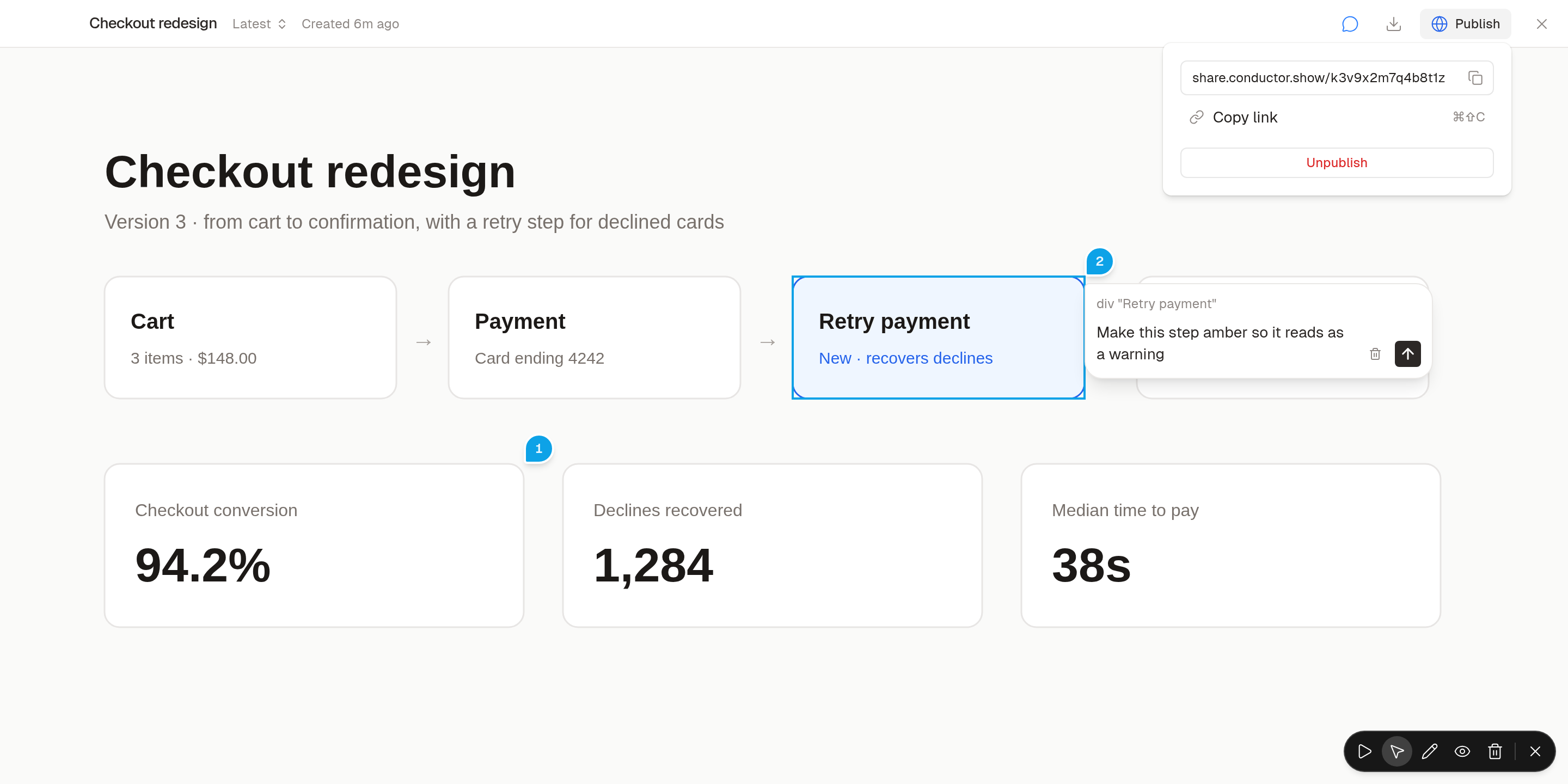
Publish an artifact to share it with anyone who has the link. Click Publish on an artifact to get the link, or press ⌘⇧C to copy it. Manage what you've published in Settings → Artifacts or on the Published artifacts page.
You can also comment on an artifact. Open it full screen, click Add comments, then click an element and write your comment. Comments go to the agent through the chat box.
Improvements
- Images and videos you attach now show as thumbnails under your message. Videos play when you hover over them.
- The model picker now shows every Claude model your account can use.
- Conductor stays responsive while its local database is busy.
- When part of Conductor stops responding, the error now has a Send feedback button with the details and logs filled in.
- In cloud workspaces, right-click a file in the Artifacts grid to download it.
- Menus, dialogs and panels now open and close with one quick, consistent motion. Tooltips show instantly when you move between buttons.
Fixes
- Fixed Conductor sometimes not responding shortly after launch if you have a long chat history.
- Fixed "Compacting..." spinning forever after compaction failed or was stopped.
- Fixed file reads in chats losing the first line's indentation or showing wrong line numbers.
- Fixed changed files under older chat turns floating after an empty gap.
- Fixed misaligned grid lines in the loadout editor.
- With Reduce Motion on, popups, the app switcher and the sidebar no longer animate movement or size.
Misc
- The New project dialog has a clearer layout.
- Try the experimental Artifacts page in the sidebar, which lists artifacts from all your workspaces by day. Turn it on in Settings → Experimental.