0.70.0
June 26, 2026Multiple Run Scripts
Your script is running? You'd better go catch it!
Conductor now supports multiple run scripts - that means you can control all of the commands for your monorepo, tests, and scripts with the "Run" button.
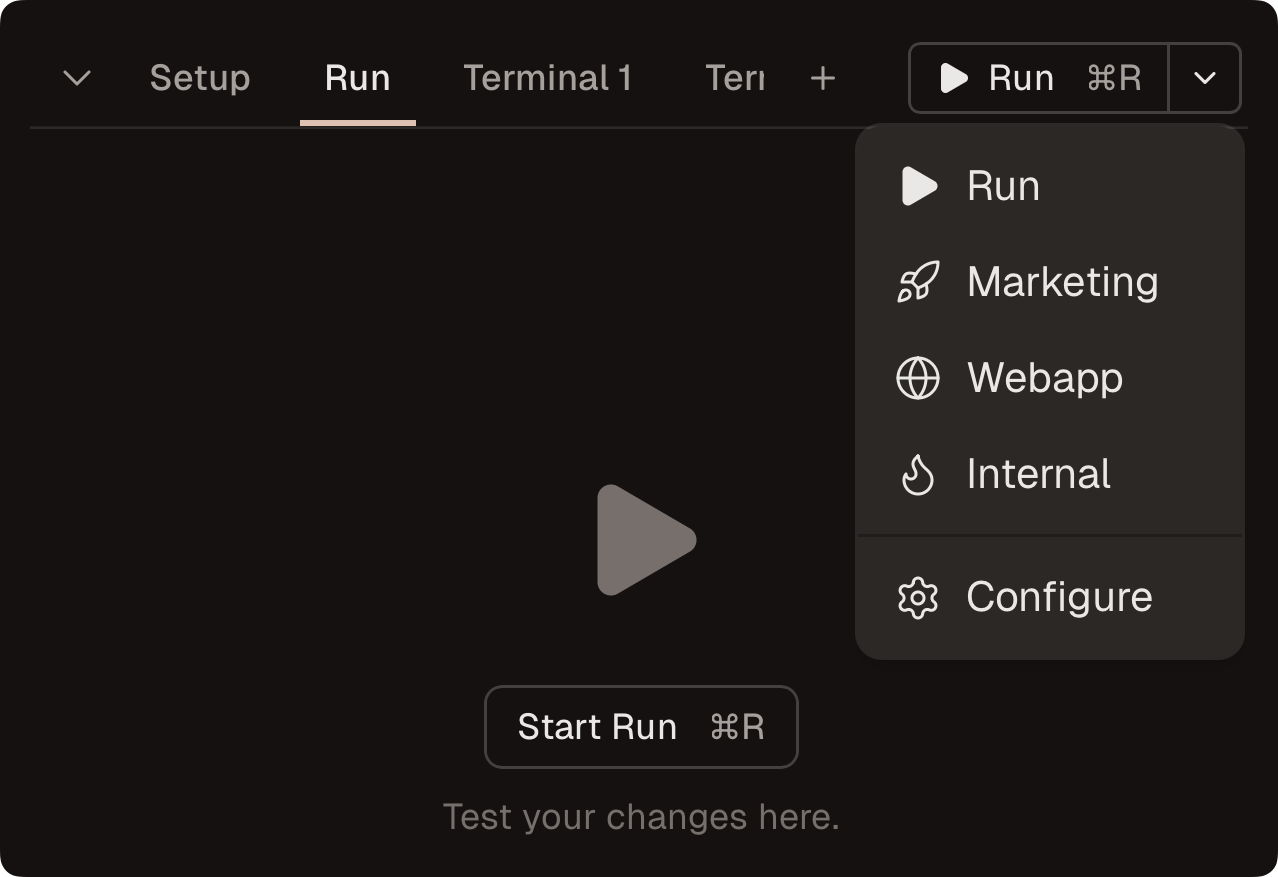
Configure run scripts in Conductor settings (Settings > Repo > Scripts) or .conductor/settings.local.toml.
See Run scripts for setup details.
Improvements
- The left sidebar now keeps its width across window resizing and app restarts.
- Added Preview URLs to Conductor settings files.
- The "Create from" picker now lets you clear a selected branch, PR, or issue.
- Moved "Add project" into the new-workspace dispatcher, next to the repo selector.
- Added an experimental "Auto permission mode" setting under Settings → Experimental that auto-approves safe actions and only prompts for risky ones when tool approvals are on.
- Added an experimental "Sidebar last message time" setting under Settings → Experimental that shows the time of the last message in the sidebar instead of diff line counts.
- Cursor Bugbot review comments now show their "Fix in Cursor" and "Fix in Web" buttons in a tight row instead of stacked.
- The side nav now includes a user switcher. Open it to log out or access settings.
Fixes
- Fixed an issue preventing editing your run scripts (we had a migration gone wrong, sorry!).
- "Restart when idle" now waits for workspace setup scripts to finish before relaunching.
- Fixed an issue where
@terminalmentions did not include Run tab output. - Fixed an issue where the terminal Open button could appear before the preview URL was ready.
- Fixed an issue where the terminal preview Open button could be replaced by a detected browser app.
- Fixed an issue where resending a message with a failed review comment attachment did not retry the upload.