0.73.0
July 7, 2026PR page
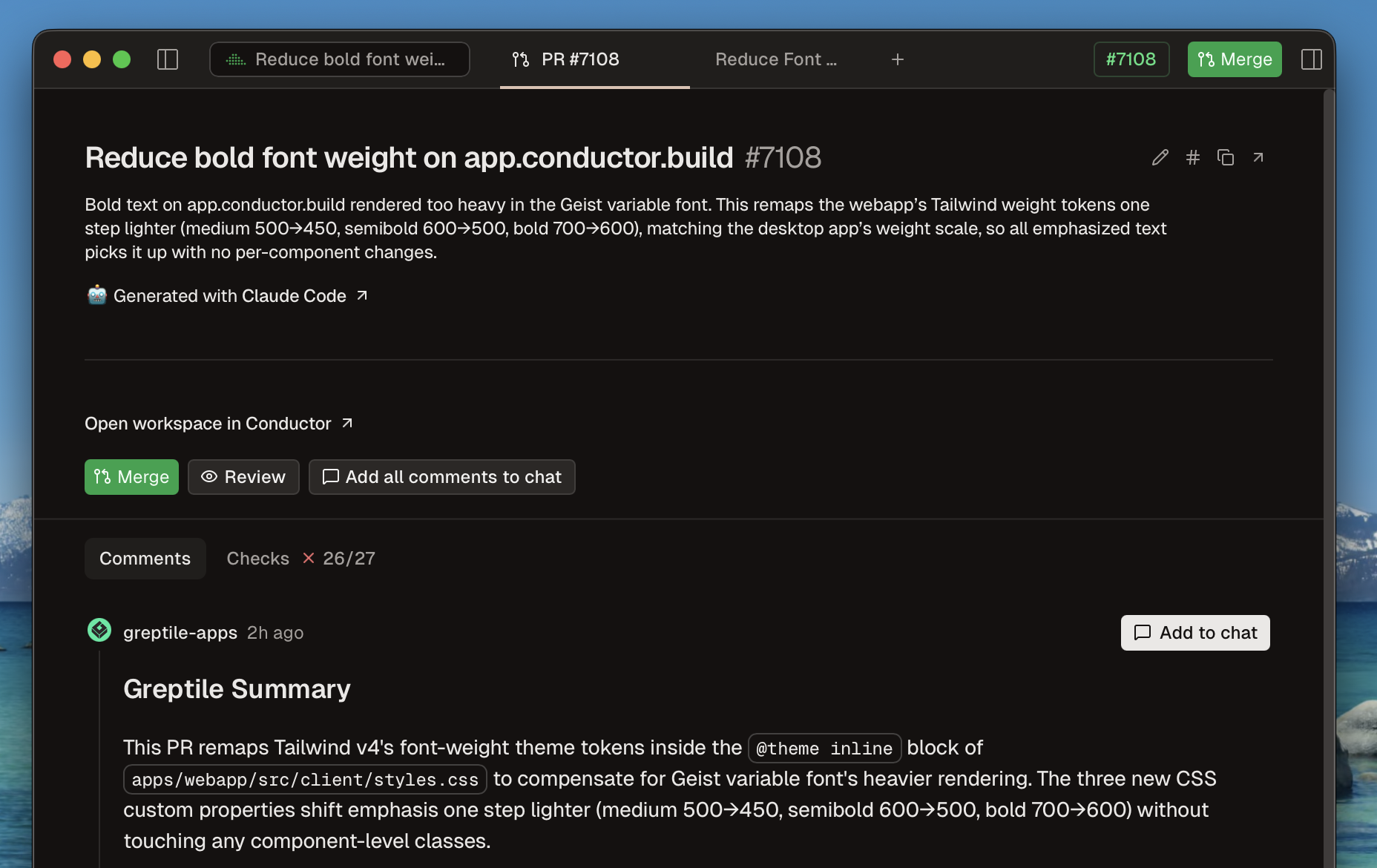
You can now review a PR without leaving Conductor: view comments and checks, edit the title and description, and merge.
Improvements
- Workspaces with an unsent draft message now show a pencil icon in the sidebar
- Workspaces in the sidebar now animate when they move
- In repo settings, you can now hide run scripts that you don't personally use
- Cleaned up styling for code blocks
- Improved support for Conductor's workspace tools (diff, comments, terminal) in Codex and Cursor
- Better support for Claude Code background tasks
- Better rendering for when Claude Code chooses to fall back from Fable to a different model
- The Conductor setup prompt now configures repository-local settings by default
- Reduced background file sync work in cloud workspaces
Fixes
- Fixed an issue where repos whose git remote uses an SSH config host alias would be missing PR info
- Fixed an issue where the Changes view could show stale diff content until the app was restarted
- Fixed a crash where a file could appear twice in the changes list and multiply while scrolling
- Fixed run script defaults so each workspace remembers its last script
- Fixed an issue where running a local task in a cloud workspace could fail with missing dependencies on the first run
- Fixed an issue where Codex skills didn't appear in the slash command menu in cloud workspaces
- Fixed pickers and dropdowns inside dialogs (e.g. the model picker in the new-workspace dialog) closing instantly or losing hover highlight
- Fixed the MCP server list overflowing the window when many servers are configured
- Fixed showing a "drop here" icon for dragged text it couldn't accept
- Fixed the dispatcher's add-project menu closing immediately after opening it from the repo picker
- Fixed an issue where the passport stopped counting cities for renamed workspaces, leaving the visited-cities count stuck
- Fixed an issue where if the workspace was corrupted, Conductor's git operations could run against a git repo in a parent directory
Misc
- Clear error screen when the Intel version is opened on an Apple Silicon Mac
New in 0.73.1
- Fixed an issue where uncompleted todos could block merging a pull request
- Moved the AI review button back to the git panel toolbar