Early access multiplayer, API, background tasks, performance
We've got two big releases in alpha for our Conductor Pro users (sign up to join here). And two big features for everyone!
If you're a team and would like to try these features, email us at [email protected] with the subject line multiplayer.
Multiplayer cloud Alpha
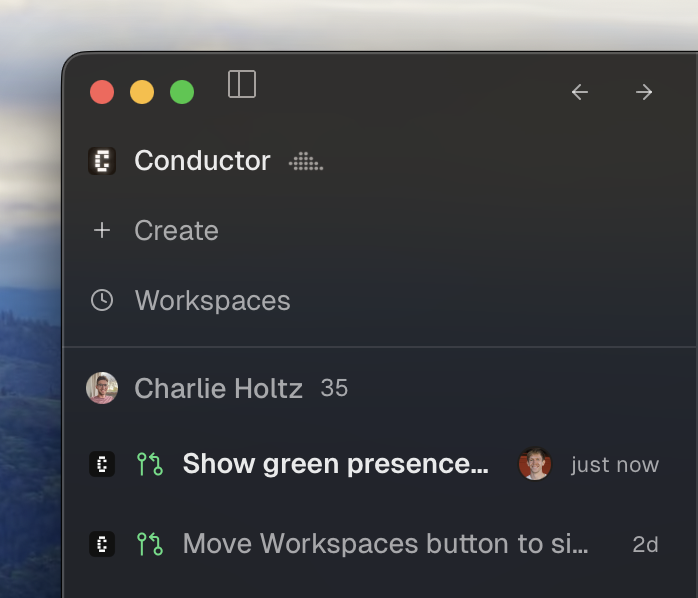
First, we’ve built a new version of cloud centered around real-time collaboration with your team. See what your teammates are working on, prompt together, and share direct links to workspaces (no need to send PR links anymore!). We’ve been using it internally for the past few weeks and are completely addicted. If you're a pro user, we'll send you instructions on how to set up a collaborative cloud org in the Discord and over email.
API Alpha
Second, the Conductor API is now in alpha!
Manage cloud workspaces programmatically in your cloud organization: create workspaces, send prompts to coding agents, read their replies, build Slackbots that kick off agent work, or run and manage Conductor from your OpenClaw.
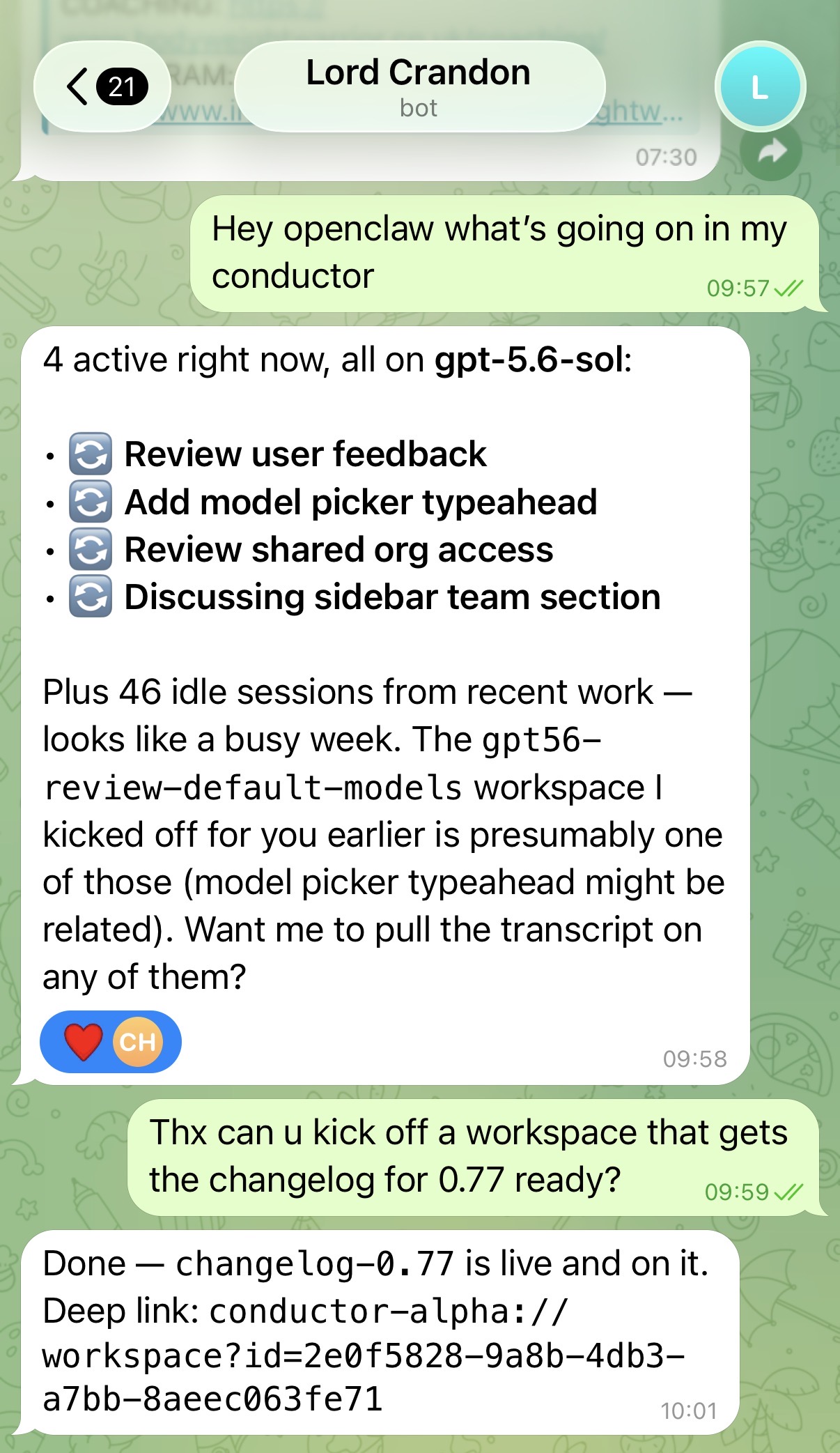
We’ve already seen users build awesome stuff like their own mobile apps (👀), UI clients, and internal tools.
Available to all Pro users. Try the API.
If you're not already a Pro, you can sign up for early access here..
Background tasks

Background tasks are now live for everyone. Chats now show when an agent is waiting on background work, with a dedicated timer and task details directly in the transcript.
Performance
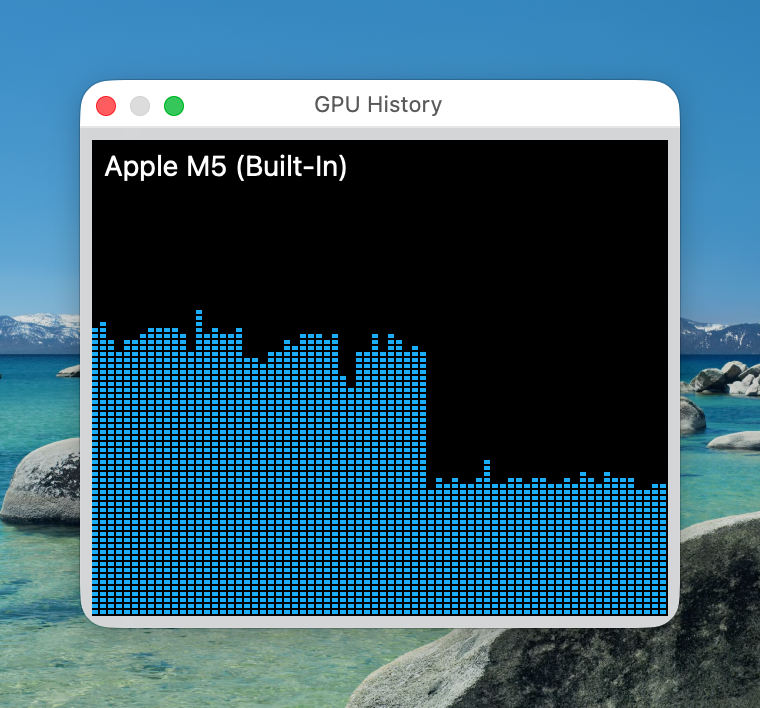
We've shipped several perf optimizations. Conductor should feel much faster and use less RAM.
If you're a team and would like to try out multiplayer, email us at [email protected] with the subject line multiplayer.
Improvements
-
Reorganized Settings into searchable personal, organization, and repository sections, with repositories listed directly in the new sidebar and cloud snapshot settings consolidated
-
Added a shortcut for creating your first workspace from an empty Home page
-
Workspace search, filters, and recently visited workspaces are now available in the command palette
-
The command palette is now opaque, wraps keyboard navigation from bottom to top, and keeps the selected item clear of the list edge
-
Agents in cloud workspaces can now use the Conductor API to create workspaces and drive other sessions, with better guidance for search and pagination
-
Experimental cloud cost estimates now include Codex usage
-
You can now view setup logs when a cloud workspace fails to start
-
Cloud workspaces now show Starting while waking up instead of Stopped
-
Cloud workspaces receive names sooner after you send their first prompt
-
Queued messages now wait until the agent is fully idle instead of sending while it is paused on background tasks
-
Chats waiting on background agents or tasks now show a dedicated waiting indicator and timer; background tasks also show their command or script in the chat
-
@ suggestions now appear sooner in cloud workspaces, and user mention pills show names without an @ prefix
-
GitHub-style Note, Tip, Important, Warning, and Caution callouts now render in pull request descriptions and comments
-
Run tab attachments now include the command that produced their output
-
Terminal sessions now use the backend terminal engine
-
Added an experimental compact model picker with inline effort and fast-mode controls
-
Cloud workspace rename dialogs no longer offer to rename the branch
-
Cleaned up the keyboard shortcuts panel by hiding dialog-only and experimental shortcuts
-
Reduced background disk activity and unnecessary UI updates in long chats and large workspace lists
-
On mobile, you can now manage queued messages, drag to reorder them, and use a composer that resizes with the keyboard
-
Mobile workspace rows now show the same status details as desktop
-
Enterprise data privacy now blocks new cloud workspaces and shared organizations
Fixes
-
Fixed cloud onboarding links opening Home instead of setup and repositories remaining hidden after connecting GitHub
-
Fixed cloud organization Home opening local workspace setup
-
Fixed a message sent to a busy cloud agent being ingested more than once
-
Fixed cloud chats and workspace updates getting stuck after reconnecting or encountering expired credentials
-
Cloud workspaces now honor the GitHub credential selected in Settings
-
Fixed an app-launch freeze that could last a minute or more when restoring port forwards for many cloud workspaces
-
Fixed cloud file sync when a repository is not cloned locally or the Conductor root directory has been customized
-
Fixed cloud workspaces hiding committed run scripts when the repository is not added locally
-
Fixed errors while setting up or continuing cloud workspaces for repositories that use Git LFS or have not been added locally
-
Fixed failed cloud workspaces repeatedly retrying session setup
-
Fixed archived cloud workspace chats showing only their first message
-
Fixed team members unexpectedly changing order
-
Removed workspace and directory linking controls from cloud workspaces, where linked paths were not accessible
-
Fixed creating a workspace from a merged pull request whose base branch was deleted
-
Fixed the composer showing the wrong model, effort level, context usage, or settings after changing the destination chat or opening some cloud sessions
-
Fixed sent prompts sometimes reappearing in the composer
-
Fixed attachment previews and @-mention or slash-command popups staying open after you returned to editing or opened another menu
-
Fixed the fast-mode lightning icon remaining visible when the composer collapses to reading mode
-
Fixed plan mode flickering when toggled and refreshed its composer indicator
-
Fixed long file paths and background task commands overflowing chat messages
-
Fixed uneven transcript spacing and Codex sub-agent work appearing as an unexpandable spawn row
-
Fixed reconnecting notices piling up after Codex retry attempts
-
Fixed a crash caused by the elapsed-time ticker while a chat was working or waiting
-
The message composer now stays visible in every open chat pane
-
Linked files in chats now show an error when they cannot be opened
-
Fixed browser previews opened from deep links showing the Agentation overlay
-
Restored terminal tabs and history after restarting Conductor
-
Fixed preferences and workspace state being lost during storage updates or after restarting Conductor
-
Fixed image files showing No changes, the Changes count changing between git panel tabs, and files under 300 KB being hidden from diffs based on their type
-
Fixed PR page actions drifting out of alignment when the title wraps and PR tabs remaining open when closed from an unfocused split
-
Fixed workspace hover cards getting stuck open, clipped workspace status icons, and status spinners disappearing when the sidebar is hidden
-
Pinned workspaces now scroll with the rest of the sidebar
-
Fixed workspace environment variables and development app names after renaming a workspace
-
Workspace notifications now show the workspace name instead of the branch name
-
Fixed workspace renaming for Korean and other non-English names
-
Fixed Command-Shift-bracket shortcuts navigating history instead of switching tabs and improved shortcut handling for international keyboards
-
Fixed clone errors being difficult to copy or overflowing the dialog
-
Improved the error shown when Conductor cannot create a cloud workspace
-
New organizations now appear in the organization switcher without restarting the app
-
Fixed the keyboard shortcuts dialog being cut off at the bottom of tall windows
-
Fixed dark-mode colors and Liquid Glass transitions in the mobile app
-
Restored the classic installer layout so disk image artwork stays crisp
Misc
-
Updated Dashboard coloring and placement
-
Moved Settings below the organization list in the account switcher
-
Removed the Goal button from the composer; use
/goalto set Codex goals -
Updated Home workspace text to match the sidebar
New in 0.77.1
-
Restored cloud setup and project settings for personal organizations
-
Fixed cloud workspaces using local setup scripts
-
Fixed terminal and git panel layouts carrying over between workspaces
-
Software installed on cloud computers is now available to agents, terminals, and setup scripts
-
Fixed local repositories appearing in the new workspace dialog for cloud organizations with no repositories
-
Fixed Agents settings in cloud organizations opening the wrong setup page
-
Restored the option to steer queued messages while an agent is waiting
-
Fixed an issue where cloud workspaces would sometimes show up out of order
-
Fixed unreliable Shift-Tab navigation in the command palette
-
Clean up settings in cloud organizations