0.82.0
August 20, 2026Conductor MCP
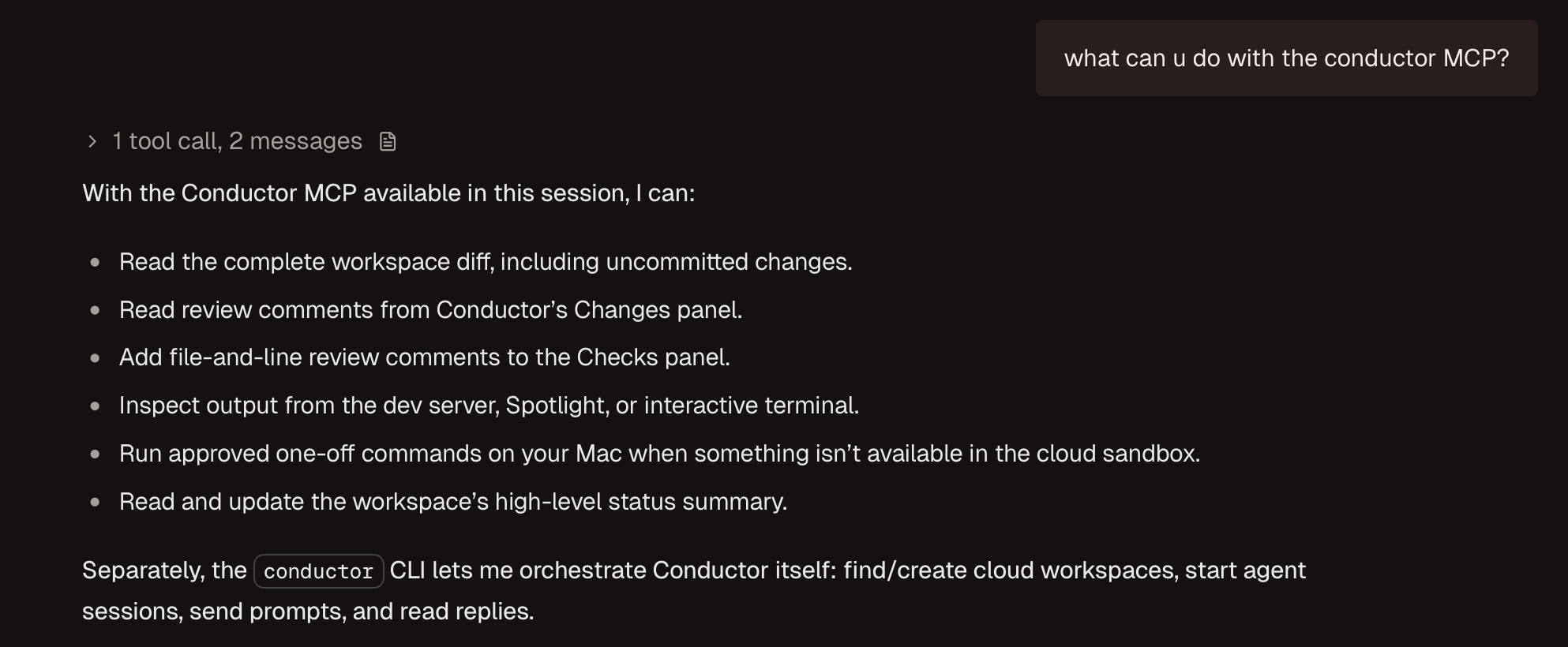
Introducing the Conductor MCP! Agents can use the Conductor MCP to create and manage cloud workspaces, read sessions, and more. Add the MCP anywhere you run your agents.
Try asking your agent to:
- “Review my workspace diff and leave inline comments.”
- “Address the comments in the Changes panel.”
- “Check why the dev server failed.”
- “Inspect this file on my Mac.”
- “Create another workspace and ask an agent to investigate X.”
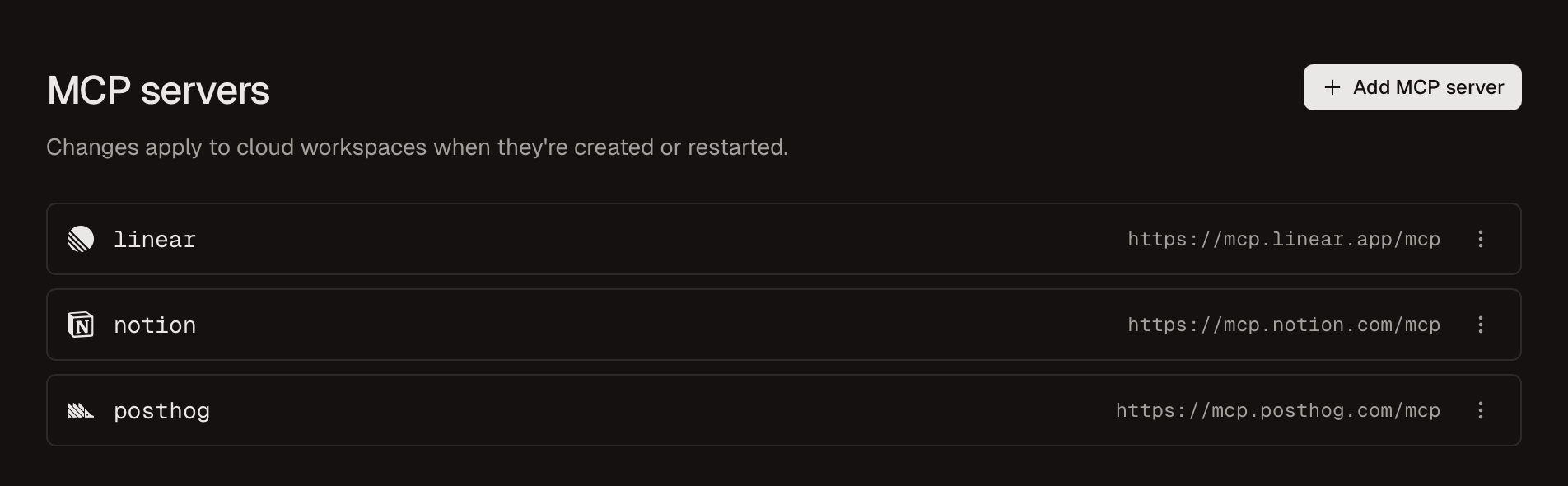
We’ve also added support for cloud MCPs. Add your favorites in Settings → MCP servers.
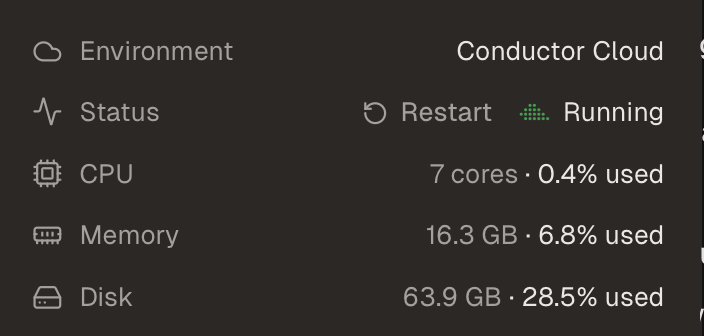
Your Cloud Computer got more oomph - they now have double the disk space (64GB).
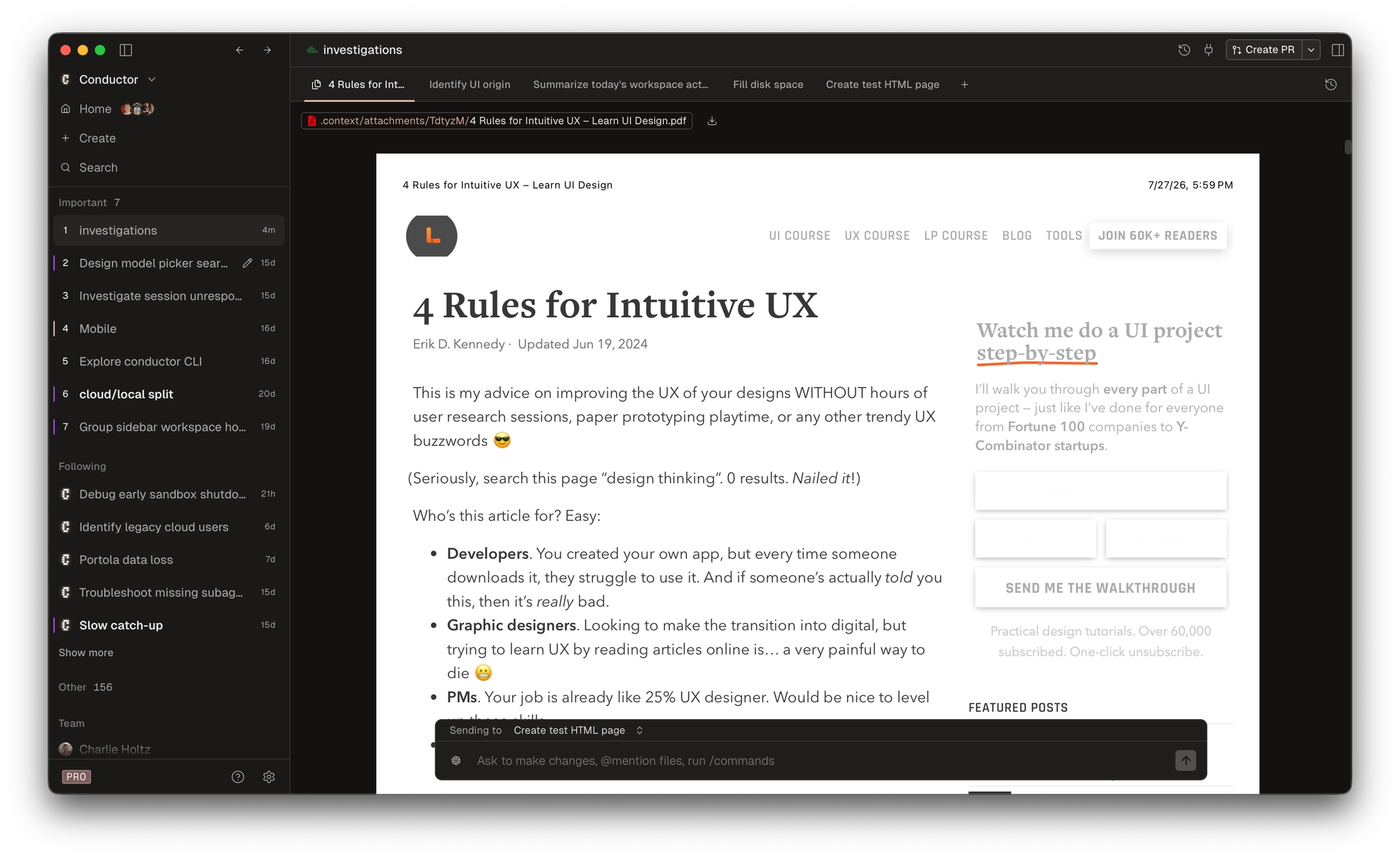
We now have PDF support!

And finally, we’ve added support for Claude concise responses. Adjust in Settings → Default models.
Improvements
- Added effort controls for Cursor's Grok 4.5 and 4.6 models
- Cloud workspaces can now use Claude Code or Codex credentials installed by your setup script instead of credentials managed by Conductor
- Cloud repository settings now include a default branch for new workspaces
- Cloud port forwarding now uses the same local port as the sandbox when that port is available
- The cloud repository picker is wider, shows full names on hover, and no longer labels repositories as Suggested
- Cloud workspace creation now asks you to configure an agent before setup instead of allowing setup to fail because credentials are missing
- Changes to cloud agent credentials now appear above the composer and explain when a workspace needs to restart
- Cloud workspaces now warn when disk space is running low
- Preview PDFs directly in Conductor
- Open or download non-text files from the file viewer, and download any file in a cloud workspace
- Right-click an image to copy it or save it to disk
- Open in → Finder now selects the file in its containing folder
- Right-click a filename in the file viewer to open it in another app
- Changed-file summaries now load immediately when you return to a turn
- Chat and terminal tab strips now scroll when they overflow, with faded edges and scroll arrows
- Command–Option–Left and Command–Option–Right now cycle through every visible tab in a workspace, including chats, terminals, pull requests, Changes, files, and browser tabs
- Hold Command to show workspace shortcut numbers in the sidebar; the hints disappear after you switch
- Create from remembers the tab you used most recently
- Creating or joining an organization now points you to it from the organization switcher instead of switching automatically
- The organization switcher names the new organization and scrolls when you belong to more than nine organizations
- Claude model selections now use explicit model versions instead of family aliases
- Improved drag previews and cancellation throughout workspaces
Fixes
- Fixed Codex MCP sign-in for servers that validate the OAuth issuer
- Fixed Codex bypassing configured approval settings
- Fixed MCP servers whose names begin with conductor bypassing tool approvals
- Fixed the experimental model picker not appearing in the new-workspace dialog
- Fixed cloud repository default branches not applying when workspaces were created
- Fixed agent-created cloud workspaces using the wrong target branch
- Fixed cloud chat tabs sometimes taking a long time to close
- Closing a cloud chat now hides it for every collaborator in the workspace
- Fixed sessions appearing idle while agents were still handling background task results
- Fixed the Working indicator appearing below the visible area of a chat
- Fixed an empty-chat flash when opening a cloud chat for the first time
- Fixed cloud chats sometimes stopping updates after an app update
- Fixed cloud workspace and chat names staying “Untitled” until the app restarted
- Fixed messages from another workspace losing their source-chat links
- Fixed internal error labels appearing in user-facing messages
- Fixed synced cloud HTML files failing to open in a browser
- Fixed cloud diffs cutting off the final lines of a file
- Fixed large images incorrectly appearing as too large to display in Changes
- Fixed new files not appearing inside expanded folders in the file tree
- Removed the copy-contents action from image files, where it silently copied empty text
- Fixed inline diff comments becoming impossible to delete after they were removed from chat
- Fixed the comment button getting stuck on one line in the file editor
- Fixed old pull request comments remaining after continuing a workspace on a new branch
- Replaced the system context menu in the file editor with Conductor's Cut, Copy, and Paste menu
- Fixed the automerge button appearing for stacked pull requests, which GitHub does not support
- Fixed local workspaces being hidden when they were created under another Conductor account
- Fixed data from a previous account persisting after signing out and back in without restarting
- Fixed the app remaining pointed at an organization that was deleted or that you left
- Fixed workspace shortcut hints remaining visible after switching apps with Command–Tab
- Fixed the new-organization callout appearing detached from the organization switcher
- Fixed navigation and branding in organizations with strict access controls
- Removed unavailable organization-switch shortcuts from the Keyboard Shortcuts dialog
Misc
- Removed tooltips that repeated visible text and switched icon buttons to native system tooltips