
Core Features
Scripts
Automate repeated actions with scripts
To get the most out of Conductor, you can automate repeated actions using scripts. Conductor lets you define three scripts:
- Setup script: runs each time you create a workspace
- Run script: runs when you click the "Run" button in the bottom-right corner of the screen
- Archive script: runs when you archive a workspace
Getting started
To configure scripts, open Repository Settings by clicking the repo name in the sidebar. You'll find the Scripts section where you can define your setup, run, and archive scripts.
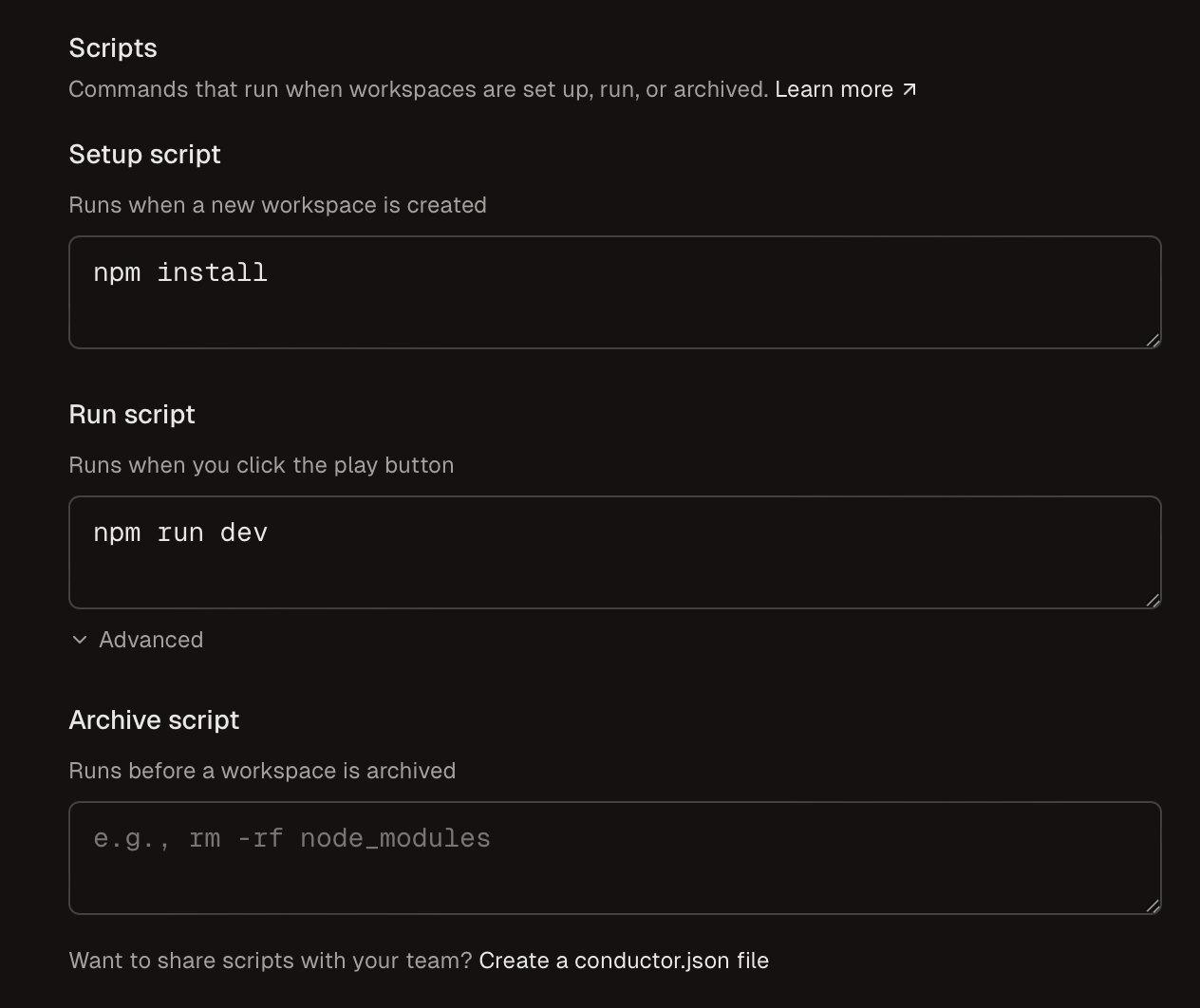
For example, you might set:
- Setup script:
npm install - Run script:
npm run dev
In your scripts, you can use any of the Conductor environment variables. Scripts run using zshell.
Scripts are the trickiest part of Conductor. If you're having trouble, reach out to us at support@conductor.build.
Sharing scripts with teammates
To share scripts with your team, you can create a conductor.json file in your workspace and commit it to git. See Sharing scripts with teammates for details.
Setup script
When Conductor creates a workspace, it copies in all your git files.
Use the setup script to set up any files that aren't tracked in git: for instance, you might install dependencies or copy .env files.
The setup script will run inside the newly-created workspace directory.
If your app uses a .env file, we recommend these steps:
- Go to the repository settings page (click the repo name in the left sidebar)
- Choose "Open In" to open the repository root directory in Finder or an IDE
- If your
.envfile isn't already in the repository root, copy it there - In your setup script, symlink .env into the workspace with
ln -s "$CONDUCTOR_ROOT_PATH/.env" .env
Run script
Use the run script to easily launch your web server, app, or unit tests from a button in Conductor.
Example: python3 -m http.server --port $CONDUCTOR_PORT
Run script mode
If you can't run multiple dev servers at once, use nonconcurrent mode. In this mode, whenever you click the run button, Conductor will kill any in-progress run scripts before starting the new one.
You can find this setting under "Advanced" in the Scripts section of Repository Settings.
Archive script
When you archive a workspace, Conductor deletes the workspace directory. Use the archive script to clean up any resources that live outside this directory.
For example, our archive script cleans up the Application Support directory:
rm -rf "$HOME/Library/Application Support/com.conductor.app.dev.$CONDUCTOR_WORKSPACE_NAME"Process shutdown
Whenever Conductor stops a process — whether it's a run script, setup script, or terminal session — it sends SIGHUP, waits up to 200ms for the process to exit, and then sends SIGKILL if it's still running.