Run multiple Claude Code sessions in parallel
Use Conductor workspaces to run several Claude Code tasks at once without sharing one checkout, branch, or review path
Use this guide when you want more than one Claude Code task moving at the same time.
In Conductor, the unit of independent Claude Code work is a workspace. Create one workspace for each task that should have its own branch, working tree, setup context, terminal, diff, and pull request path.
Claude Code also documents a native claude --worktree workflow for parallel CLI sessions. Use Conductor when you want that separation plus Conductor's workspace sidebar, setup scripts, run scripts, diff review, checks, and pull request flow.
For the decision model, see Parallel agents. For Claude Code's native worktree behavior, see the official Claude Code worktrees docs and Claude Code overview.
Choose the unit of parallel work
Before you start more sessions, decide whether the work needs isolation or shared state.
Use separate workspaces when each Claude Code task should become its own branch, review, or pull request. This is the common path for independent features, bug fixes, issue fanout, and experiments.
Use multiple chats in one workspace when the agents need the same branch and current code state, such as one Claude Code session implementing while another reviews or fixes tests.
Run several Claude Code tasks
Prepare the repository once
Add the repository to Conductor and make sure a new workspace can run the project.
Use Files to copy for static gitignored files such as .env.local. Use a setup script for commands that install dependencies, generate files, create symlinks, initialize local databases, or prepare other per-workspace resources.
Create one workspace per independent task
Create a workspace with Command Shift N or the ... button next to New workspace.
Start from a GitHub issue, Linear issue, pull request, branch, or a new task. Conductor creates a separate git worktree and branch for the workspace, then keeps the Claude Code session attached to that workspace.
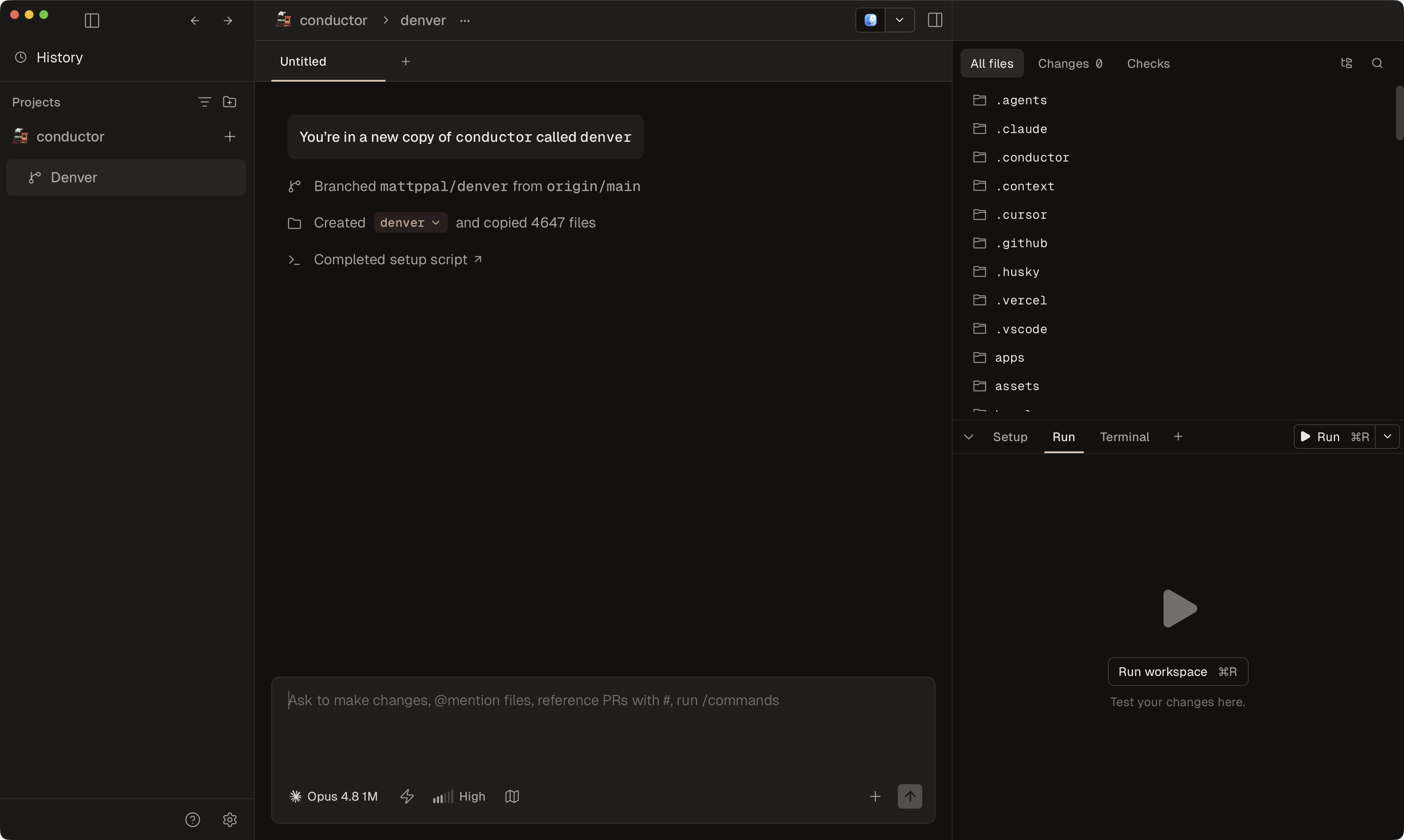
Start Claude Code in each workspace
Open the workspace and start a Claude Code chat. Give each session a narrow prompt that names the task, expected outcome, constraints, and validation command.
Repeat this for each independent task you want running in parallel.
Run and test each workspace separately
Use a run script, terminal command, or Spotlight testing from the workspace that owns the change. Setup and run scripts execute from the workspace directory.
If several workspaces need local servers at once, use CONDUCTOR_PORT so each workspace gets a separate port range.
Review and merge workspace by workspace
Open the Diff Viewer with Command Shift D and inspect one workspace at a time.
Use the Checks tab to track git status, CI, deployments, comments, and todos. Merge and archive the workspaces that are ready; keep revising or archive the ones that are not worth shipping.
Keep the sessions coordinated
- Give each Claude Code session a task that can finish independently.
- Avoid assigning two workspaces the same file-heavy refactor unless you expect merge conflicts.
- Keep shared context in committed docs, repository instructions, or the workspace
.contextdirectory, not only in one chat. - Use one workspace when the agents need to see and edit the same in-progress branch.
Caveats
For the lower-level Git model behind this workflow, see Run Claude Code with Git worktrees. If you want the same workflow with OpenAI's agent, see Run multiple Codex sessions in parallel.