Run Claude Code with Git worktrees
Use Claude Code in Conductor workspaces so parallel sessions get separate branches, files, and setup
Use this guide when you want two Claude Code tasks to run in parallel without sharing one checkout, one branch, or one run environment.
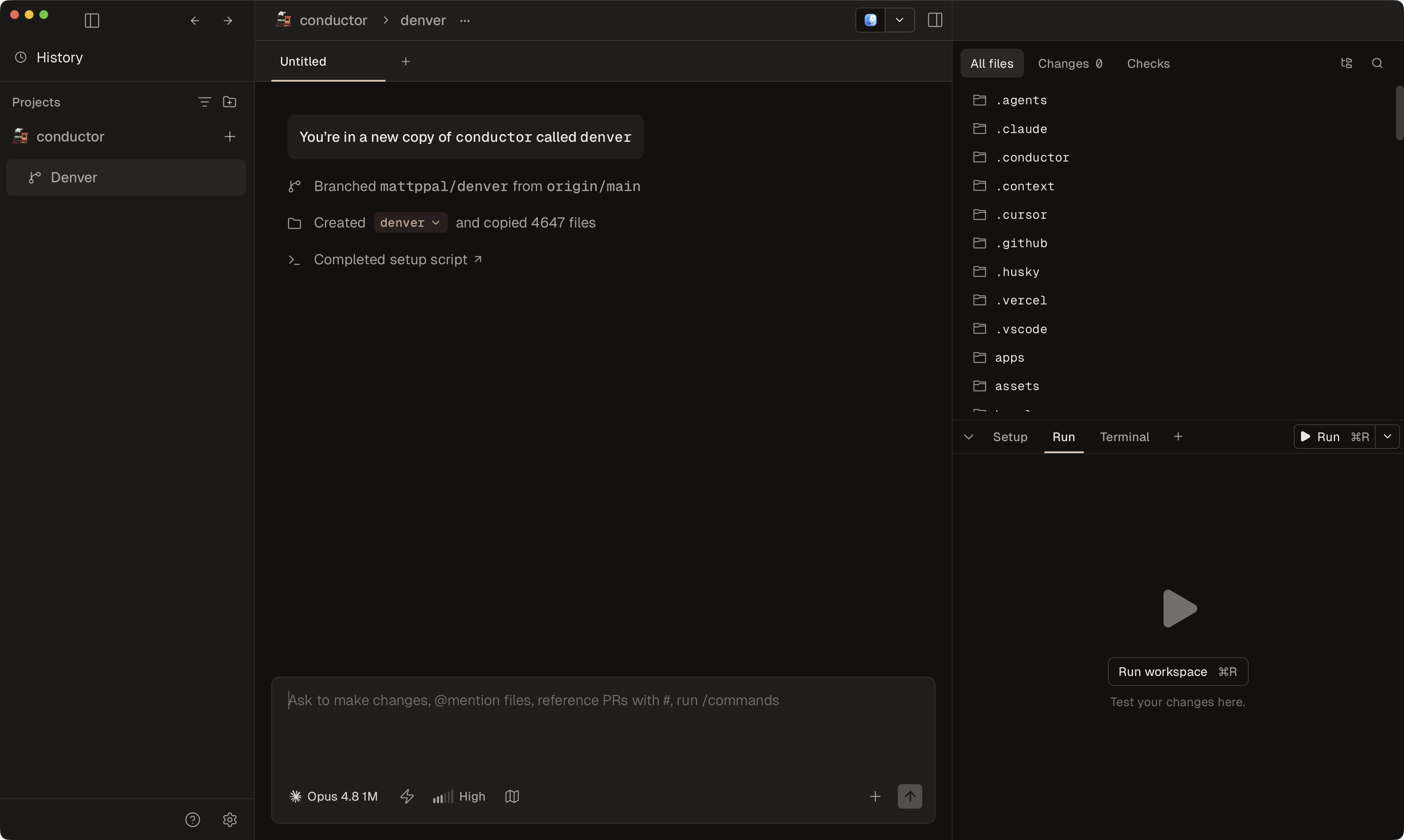
Conductor solves that by creating a separate workspace for each task, then attaching the Claude chat, branch, setup, and review flow to that workspace.
The workflow is:
- Create a new workspace.
- Let Conductor create the branch and git worktree.
- Let Conductor run setup, copy local files, and keep the chat attached to that workspace.
- Start a Claude Code session inside the workspace.
For the full Conductor workflow, see Run multiple Claude Code sessions in parallel. For the underlying Git model, see Git Worktrees. For Claude's upstream worktree behavior, see the official Claude Code worktrees docs.
Run Claude Code in a Conductor workspace
Add the repository to Conductor
Open your project in Conductor if it is not already there.
Create a new workspace
Create a workspace with Command N when the Claude task should have its own branch, files, and review path.
Conductor creates the new workspace as its own git worktree and branch. It bases that workspace on the repository's configured base branch and fetches from origin first, so the workspace starts from the latest remote commit.
Prepare the workspace before Claude starts
A fresh Conductor workspace starts with tracked Git files only.
Use one of these Conductor setup paths:
- Use Files to copy or
.worktreeincludefor static gitignored files such as.env.localand local config. - Use a setup script for dependency installs, generated files, symlinks, or per-workspace resources.
Files to copy currently runs for local Mac workspaces. If you need the same setup in cloud workspaces too, put the required steps in scripts.setup.
Start a Claude Code chat
Open the workspace and start a new chat with Claude Code as the agent.
This keeps the Claude session attached to the workspace's branch, terminal, diff, checks, and PR flow.
Run the project from the workspace
Use the Run button or the terminal from inside the workspace.
If your app needs separate ports per workspace, use CONDUCTOR_PORT in your run script or setup script. If the project cannot run cleanly from a workspace directory, use Spotlight testing.
Why use Conductor instead of a raw Claude worktree
Conductor adds the parts around Claude Code that usually become manual:
- Per-workspace branches and chats.
- Files to copy for
.worktreeinclude-style local files in local workspaces. - Setup scripts and run scripts per workspace.
- Review and PR flow attached to the same workspace.
- A repeatable path for running more than one Claude task in parallel.
Caveats that matter
If your main pain is missing env files in new workspaces, start with Use Files to copy. If you are setting up Conductor for the first time, start with Your first workspace. For the broader multi-session workflow, see Run multiple Claude Code sessions in parallel.