Run Codex with Git worktrees
Use Codex in Conductor workspaces so each task gets its own branch, files, and run environment
Use this guide when you want Codex to work on a task without taking over your main checkout or colliding with another agent session.
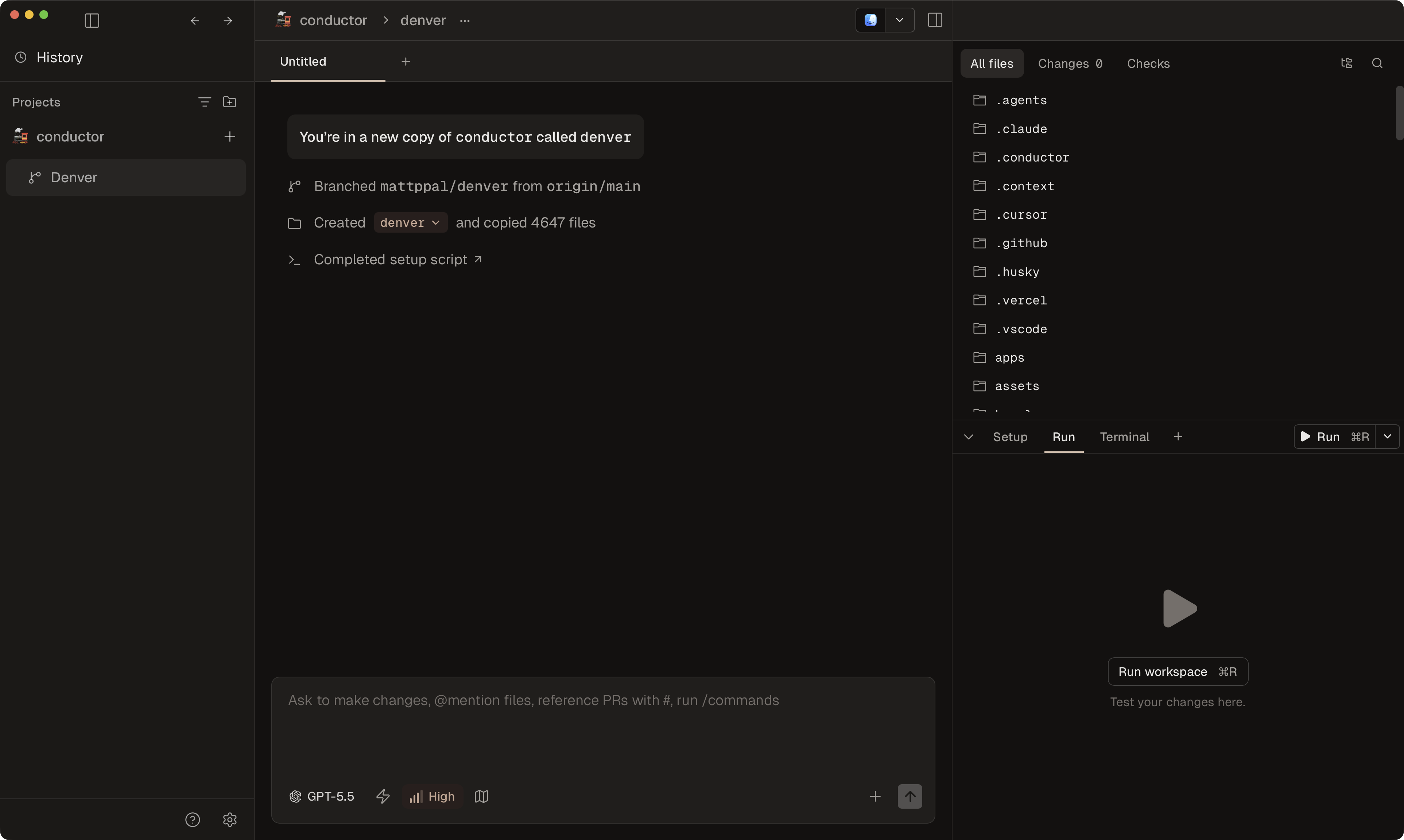
Conductor solves that by creating a separate workspace for the task, then keeping the Codex chat, branch, terminal, and review flow attached to that workspace.
You do not need to start from Codex app's own Worktree mode. Conductor already creates a separate git worktree and branch for each workspace, then lets you choose Codex as the agent in that workspace.
For the full Conductor workflow, see Run multiple Codex sessions in parallel. For the Git model behind that workflow, see Git Worktrees. For Codex's upstream worktree behavior, see the official Codex worktrees docs.
Run Codex in a Conductor workspace
Add the repository to Conductor
Open the project in Conductor if it is not already there.
Create a new workspace for the Codex task
Create a workspace with Command N when the Codex task should have its own branch, files, terminal commands, and review path.
Conductor creates the workspace as its own git worktree and starts it from the repository's configured base branch.
Prepare the workspace before Codex starts
Prepare the workspace the same way you would prepare any Conductor workspace:
- Use Files to copy for static gitignored files in local workspaces.
- Use a setup script for dependency installs, generated files, symlinks, and command-based preparation.
- Use a run script when the workspace should have a normal dev server or watcher behind the Run button.
Start a Codex chat in that workspace
Open the workspace and choose Codex as the agent for the session.
That gives Codex a separate workspace path, branch, chat, terminal, diff, and PR flow without disturbing your main checkout or another active workspace.
Review and merge from the workspace
When the work is ready, use the Diff Viewer, Checks panel, and PR flow from the same Conductor workspace.
Caveats that matter
Why use Conductor instead of raw worktrees
Conductor gives Codex the surrounding workflow that raw worktrees do not:
- A workspace per task, branch, and agent chat.
- Files to copy for ignored local files that new local workspaces need.
- Setup scripts and run scripts per workspace.
- GitHub review and PR flow attached to the workspace.
- A clean way to run Codex beside Claude Code or other workspaces in parallel.
If your main challenge is bringing .env.local and similar files into new workspaces, see Use Files to copy. If you are setting up Conductor for the first time, start with Your first workspace. For the broader multi-session workflow, see Run multiple Codex sessions in parallel.